
eDTR Electronic Catalog

The eDTR (Electronic Desktop Technical Reference) softwares you quickly and easily find Swagelok solutions for your applications. Within minutes of installation, you'll have access to hundreds of Swagelok catalogs, certifications, technical specifications and resources. This software is available in two different formats: instant computer download, Apple® iPad®. See below for installation instructions.

Find all Swagelok catalogs on swagelok.com under the new catalogs resource guide. 
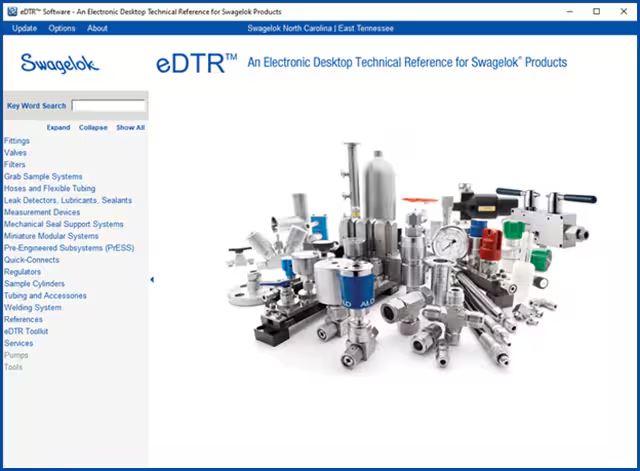
edtr-download-screenshot


Experience the benefits of the eDTR:

  • Free - absolutely no additional cost
  • Contains all current product literature
  • Free content updates
  • Intuitive navigation
  • Ultra-fast searches by product type or keyword via the 'Search' function
  • Quick links to resources such as Swagelok.com, CAD files, videos, etc.
  • Easy to install on any Windows-based desktop or laptop computer
  • The eDTR software can also be accessed through an app on your Apple iPad device or through a flash drive 
  • Note: The eDTR app is currently only available on the Apple iPad and not the Apple iPhone®

Get your eDTR - Computer download instructions:

  1.  Email services@nctn.swagelok.solutions to receive your copy of the eDTR catalog thumb drive by mail to businesses in our service area of NC, TN, VA, and SC. 
  2. For registration and activation assistance, view instructions or call 704-289-7400.


Get your eDTR - Apple iPad app instructions:

  1. Visit the Apple iTunes Store® to download the Swagelok eDTR for your Apple iPad device
  2. Open the app after the download is complete 
  3. Follow the prompts to setup, register and activate your eDTR software
  4. For registration and activation assistance, view instructions or call 704-289-7400.